Page Last Updated: October 27,
2018
ECF Capture
Change Scan Settings
| Do not adjust any image settings |
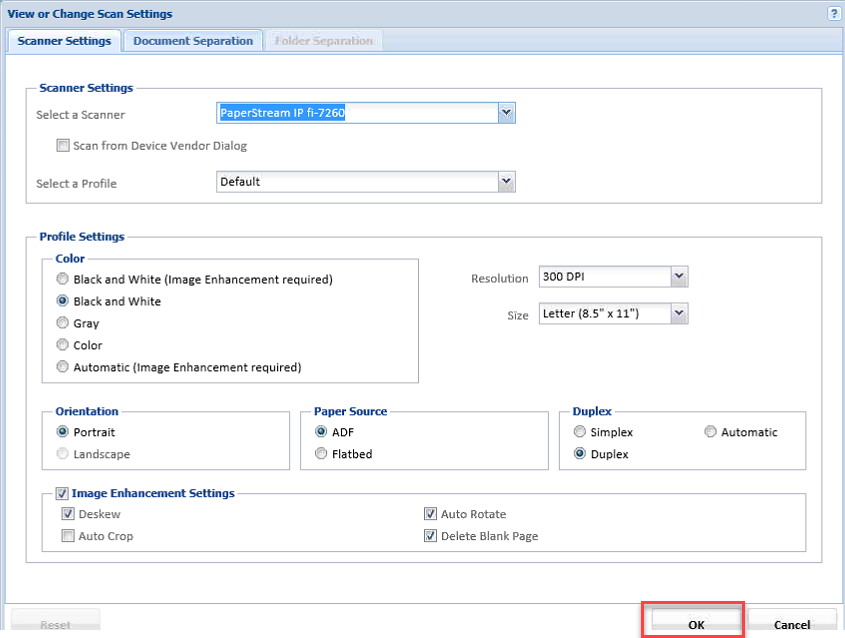
| All scanned and imported images must be in black and white at 300 dpi. |
Instructions
Jump to Step (Click for List)(Click for List)
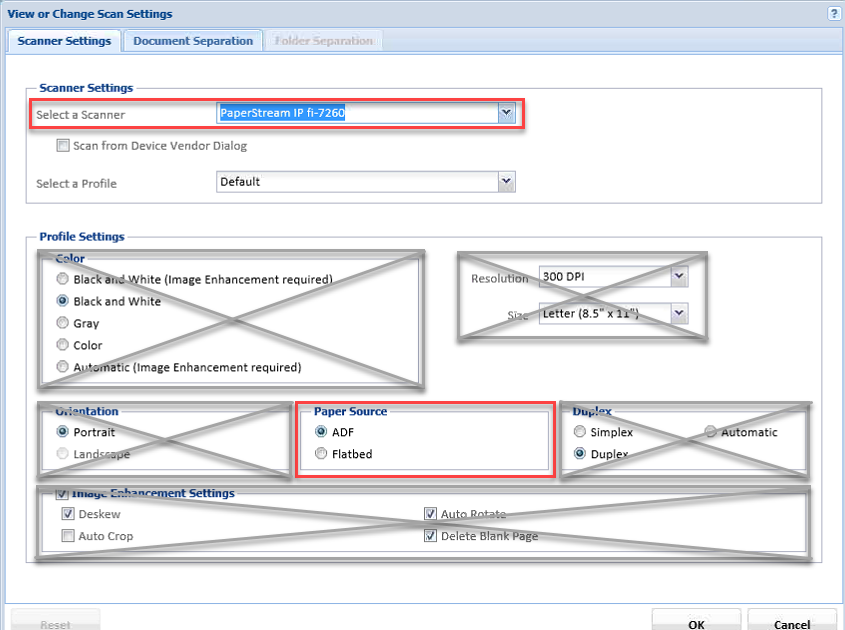
The standard scan settings should only need to be changed to import a file instead of scanning, or to scan from the flat bed instead of the Automatic Document Feeder (ADF).
Open the Scan Settings Dialogue Box
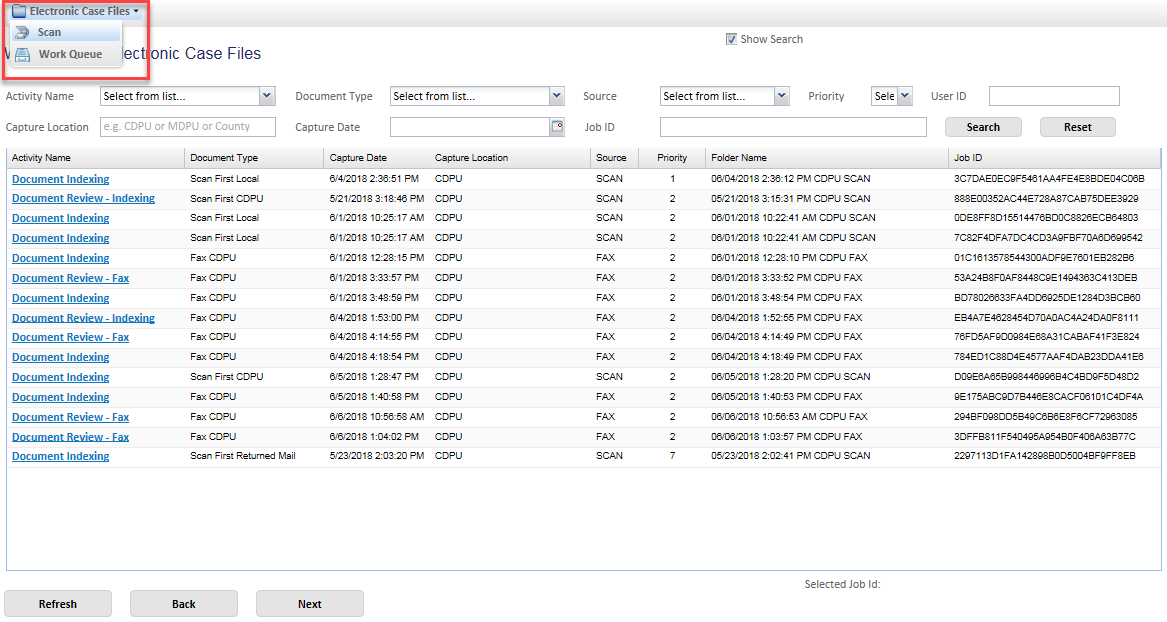
| From the Work Queue page, click Electronic Case Files > Scan |
Click image for larger view |
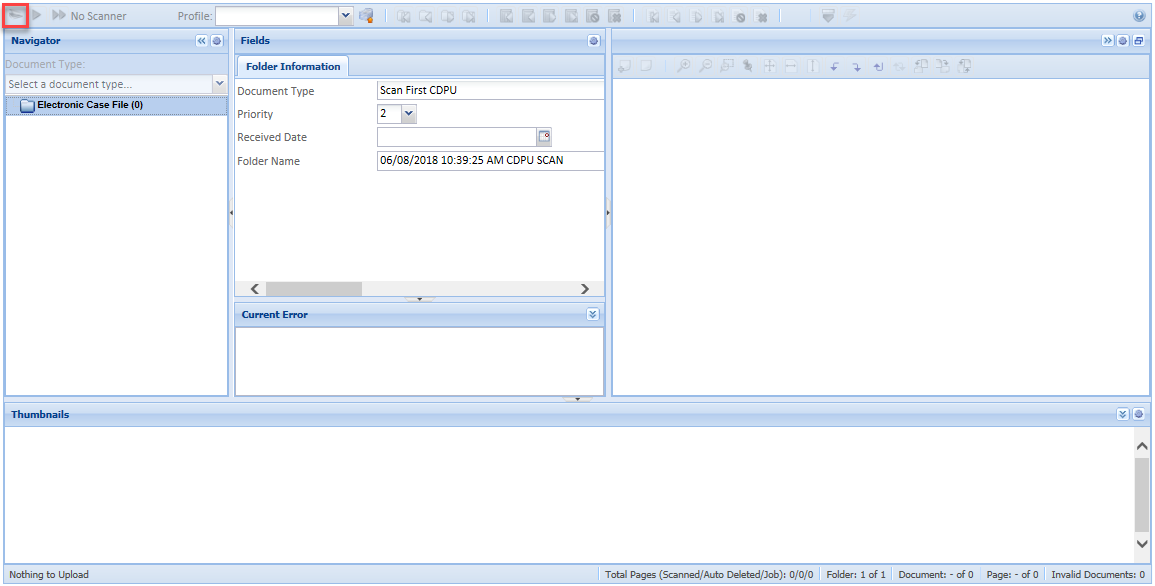
Click Scan Settings  to open the dialogue box. to open the dialogue box. |
Click image for larger view |
Adjust the Appropriate Setting
Adjust only the Select a Scanner or Paper Source options. Do not adjust any other settings.
|
Click image for larger view |
Save Settings
| Click OK to save the settings. The settings are saved until they are manually changed back. See Standard Scan Settings for the list of default settings. |
Click image for larger view |