ECF View
Correct a Case Number
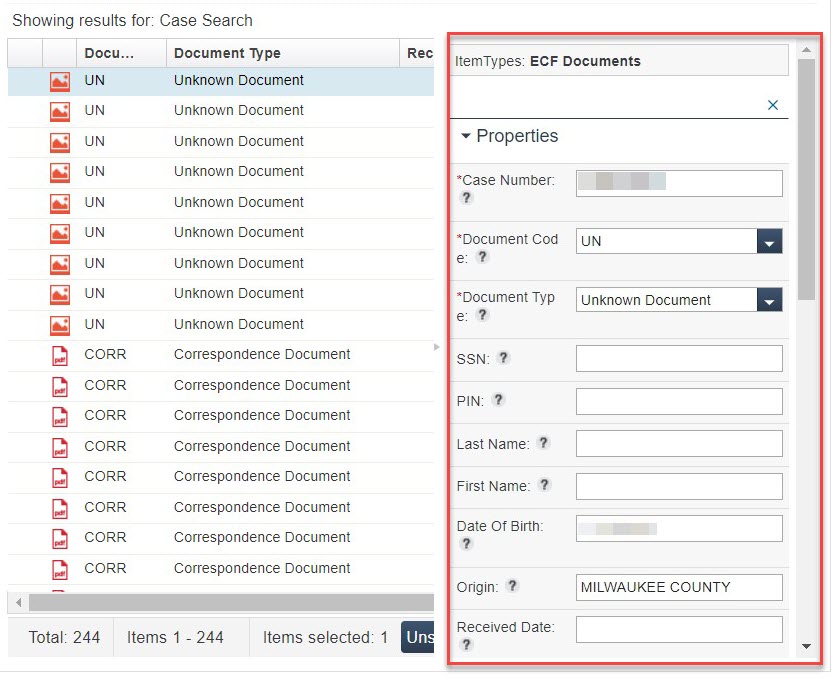
If a file was indexed to the wrong case, it can be changed using the same process as the one to Edit Attributes. This will re-index the file to the correct case.
Before You Start
This function can only be done by managers, supervisors, lead workers, or others with proper security clearance.
To request the ability to move files to another case, the security officer for your county must complete a CARES Automated Systems Access Request (F-00476) and send it to DHS CARES Security.
Instructions
Change Case Number in File Properties
|
Locate and highlight the file using the Search for a File instructions. |
Click image for larger view
|
|
Click Edit at the top of the Properties window |
|
|
Enter a new case number in the Case Number field. |
Click image for larger view
|
|
Click Save to confirm the changes. |
|